

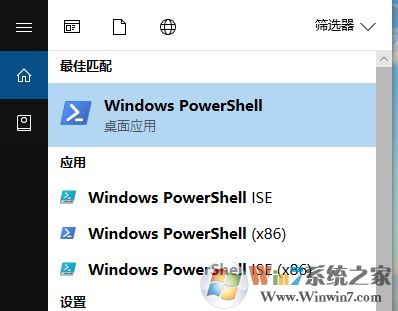
1、在任务栏的搜索框中输入windows powershell,鼠标右击windows powershell以管理员运行;
2、复制粘贴以下命令运行: Get-AppxPackage -AllUsers| Foreach {Add-AppxPackage -DisableDevelopmentMode -Register “$($_.InstallLocation)\AppXManifest.xml”} Get-AppxPackage | % { Add-AppxPackage -DisableDevelopmentMode -Register "$($_.InstallLocation)\AppxManifest.xml" -verbose } 3、在管理员身份运行的Windwos powershell输入以下指令: Get-AppXPackage -Name Microsoft.Windows.Cortana | Foreach {Add-AppxPackage -DisableDevelopmentMode -Register "$($_.InstallLocation)\AppXManifest.xml"}
通过上述方法进行修复,即可解决cortana无法连接网络的故障,正常使用小娜进行搜索恢复win10系统的搜索功能。End